rk99 AppInstall it on Android without a store
The rk99 app puts the whole lobby on your phone: slots, live tables and sport, with bKash and Nagad deposits handled inside. The file is 45 MB and runs on Android 6.0 or newer. Download it here, then sign in with the account you already use.
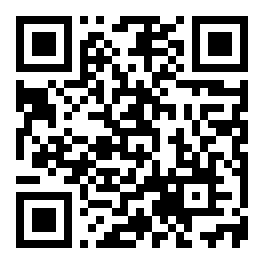
Reading this on a laptop? Scan the code in the app section below and the same file opens on your phone.
18+ · Play Responsibly
One Install, the Whole Lobby in Your Pocket
The rk99 app is a 45 MB Android file you install yourself. There is no Play Store listing, so nothing sits between you and the download page you are on now.
- One login covers slots, live tables and sport.
- The cashier takes bKash, Nagad, Rocket and bank transfer.
- Withdrawals are paid in about 29 minutes.
- Menus switch between English and Bangla.
What the APK Asks For and Why
Sideloading means Android will ask you a few questions before it trusts the file. Here is exactly what happens and where the answers go.
A signed file from rk99.games
The APK is served from rk99.games over HTTPS, straight from our own server. Nothing here passes through a file-sharing link or a mirror site. If a download page asks you to install a "downloader" first, close it and come back to this page instead.
Storage and network only
Install asks for storage so the 45 MB file can be saved and later updated, plus network access for the games and the cashier. Camera is optional: it matters only if you scan the QR code or send a KYC photo from inside the app.
You can refuse and still play
Deny notifications and camera, and the cashier, slots and live tables keep working. Say no to anything unusual. A real rk99 install screen never asks for your password, your bKash PIN or an SMS code.
Keep the file to yourself
Only install the APK you took from this page. Files pushed through Messenger, WhatsApp groups or random Facebook links are the usual source of fake apps. When in doubt, delete the file, clear the download, and pull it again from rk99.games.
Install on Android in Five Steps
From a fresh phone to a logged-in lobby in roughly three minutes, most of it waiting.
-
Allow installs from your browser
Open Settings, then Apps, find the browser you use (Chrome, Opera, Mi Browser) and tap Install unknown apps. Switch Allow on. On Android 6 or 7 the path is Settings, then Security, then Unknown sources.
-
Download rk99.apk
Tap the Download APK button on this page. The file is 45 MB, so use Wi-Fi if your data is tight. On a steady 4G connection it usually lands in under a minute; a slow evening network can stretch to five.
-
Open the file and install
Pull down the notification shade and tap the finished download, or open Files, then Downloads, and tap rk99.apk. Choose Install and wait. Older phones sometimes need a full minute to unpack the package.
-
Switch unknown sources back off
Return to that settings screen and turn Allow off again. The app keeps working; only new APK files are blocked. Check this page for a newer build before you sideload anything else, and delete the old file.
On iPhone: add rk99 to the home screen
There is no iOS file to install. Open rk99.games in Safari, tap the Share button in the toolbar, scroll to Add to Home Screen and confirm. The icon sits beside your other apps and opens full screen, without the address bar, so it behaves much closer to an app than a bookmark.
App or Browser: Pick by Habit
Both run on the same account and the same wallet. The difference is how they behave on a phone through the day.
| # | What you are doing | rk99 app | Browser at rk99.games |
|---|---|---|---|
| 1 | Getting in | One tap on the home screen icon. | Type the address or open a saved bookmark. |
| 2 | Space on the phone | 45 MB installed, updates by APK. | Nothing stored, always the newest version. |
| 3 | bKash and Nagad deposits | Cashier opens over the lobby, about 3 minutes. | Same cashier, but you hop between browser tabs. |
| 4 | Live tables | Full-screen video sized for a phone held upright. | Works, though browser bars eat the felt. |
| 5 | Mobile data | Keeps artwork cached, lighter on repeat visits. | Reloads game tiles every session. |
| 6 | Alerts | Bonus and withdrawal notices reach you. | Silent unless a tab stays open. |
| 7 | Losing signal | Session holds while you swap apps. | A refresh can reset the page you were on. |
| 8 | Best fit for | Regular players on their own phone. | Occasional play and shared devices. |
What You Can Play Once You Are In
The app carries the same 1,400 games as the website, from Evolution, Red Tiger, Playtech, PG Soft, CQ9, Ezugi and Sexy Gaming.
- Slots Hi-Lo, Jungle Delight, Juma Dragon and Piggy Gold spin in portrait, no sideways tilt needed.
- Live casino Andar Bahar, roulette and card tables streamed from Evolution and Ezugi studios.
- Crash and instant Plinko and quick rounds that settle in seconds, playable in a queue.
- Sport Cricket and football pre-match and in-play markets, alongside tennis and kabaddi.
- Fishing and lottery Bingo Fishing and Lucky Bingo, built around touch controls.


Both tiles open the registration page until you are signed in. Already have an account? Log in here and the app remembers you on that phone.
Six Things the App Does Better
Small differences you notice on a phone used daily, not a list of promises.
Cashier without leaving the table
Deposits and withdrawals open over the lobby, so a bKash top-up does not cost you a live hand. Most deposits land in about 3 minutes and withdrawals in roughly 29.
Portrait-first game layouts
Reels, crash curves and card tables are sized for a phone held upright. Controls sit inside thumb reach, and bets are placed with one hand on a bus or a rickshaw.
Bet history you can read
Every settled bet, deposit and withdrawal is timestamped in Bangladesh time, with the amount and the balance after. Useful when you reconcile a Nagad statement against your wallet.
English or Bangla menus
Switch the interface language from the profile screen. Game names and rules stay in English either way; only menus, buttons and cashier labels change.
Updates inside the app
When a new build ships, the app shows a bar with the new version number. You download it the same way, and your login and wallet stay exactly as they were.
Session locked to your device
Log out on a lost phone and the session ends there. Set a screen lock on the handset, keep the app updated, and never share an SMS code with anyone who asks.
File Details Before You Tap Download
Check the numbers against what your phone shows in the install prompt. If they do not match, stop and download again from this page.
rk99.apk · 45 MB · Free
| # | Item | Detail |
|---|---|---|
| 1 | Version | 2.8.10 |
| 2 | File size | 45 MB |
| 3 | Minimum Android | Android 6.0 and newer |
| 4 | Last updated | 10 November 2026 |
| 5 | Cost | Free to download and install |
| 6 | Languages | English, Bangla |
| 7 | Payments inside the app | bKash, Nagad, Rocket, Bank Transfer |
| 8 | Support | 24/7 Live Chat |
Storage tip: keep about 120 MB free. The 45 MB file expands while it unpacks, and Android needs the room before it can finish. Once the app is installed you can delete the APK from Downloads.
When the Install Refuses to Finish
Four out of five failed sideloads come from one of these five causes. Match yours, then apply the fix.
| # | What you see | Why it happens | What to do |
|---|---|---|---|
| 1 | "App not installed" | An older rk99 build is already on the phone and the signatures clash. | Uninstall the old app, then install the 2.8.10 file again. Your account and balance live on the server, so nothing is lost. |
| 2 | "Blocked by Play Protect" | Protect flags any app it cannot match to the Play Store, even a clean one. | Tap More details, then Install anyway. If the option is missing, turn off scanning in Play Store settings for this one install. |
| 3 | The download stops near the end | A weak connection or a data saver cutting the transfer partway. | Delete the partial file, move to Wi-Fi, and download again. A stalled APK is a corrupt APK and will not install. |
| 4 | "Parse error" | The file is truncated, renamed, or the phone runs an Android version below 6.0. | Check the version in Settings, then About phone. On Android 5 or older, use the browser version at rk99.games instead. |
| 5 | "Insufficient storage" | Less space than the unpacked app and its cache need. | Clear about 120 MB. Delete old APKs in Downloads, clear cached video from messaging apps, then install again. |
Still stuck? Open the help pages or start a live chat. Tell support your phone model, Android version and the exact error line on screen, and the answer usually comes back in one reply.
Questions People Ask Before Installing
Short answers to the things that stop people tapping the button.
Jump to
- Is the APK safe?
- Install keeps failing
- How do updates work?
- Is there an iOS file?
- Data and battery use
- Deposits inside the app
- Removing the app
Is the rk99 APK safe to install?
Yes, as long as you take it from rk99.games. The file is served over HTTPS from our own server, is signed with our key, and is 45 MB at version 2.8.10. Skip any copy on a file host, a Telegram channel or a shortened link. Those are unverified and are the usual source of fake builds that harvest passwords.
Why does my phone refuse to install it?
Usually one of three things. Unknown sources are still off for your browser, an older rk99 build is already installed, or the download stopped early and left a broken file. Turn the setting on, uninstall the old version, delete the partial file and pull it again. Play Protect warnings clear with More details, then Install anyway.
How do I update the app later?
Open the app and watch for the update bar, or return to this page and download the newest file. Install it straight over the old one; Android keeps your data, so there is no need to uninstall and no need to log in again. The current build is 2.8.10, dated 10 November 2026.
Can I get the same app on iPhone?
No APK exists for iOS. Instead, open rk99.games in Safari, tap Share, then Add to Home Screen. You get an icon that opens full screen without browser bars. Games, wallet and login are identical to Android; only the install route differs. Everything runs in the browser.
Will it eat my data and battery?
The 45 MB download is the largest single use. After that, the app caches game artwork, so repeat sessions load less than the website does. Live tables stream video and use the most data. Play on Wi-Fi for long live sessions, and close the app when you finish rather than leaving tables open.
Can I deposit with bKash inside the app?
Yes. The cashier takes bKash, Nagad, Rocket and bank transfer, with most deposits credited in about 3 minutes. The minimum is ৳250, and a first deposit of ৳250 or more unlocks the 140% welcome bonus up to ৳17,000. Withdrawals start at ৳700 and usually arrive in roughly 29 minutes.
How do I remove the app completely?
Long-press the icon and choose Uninstall, or go to Settings, then Apps, then rk99. Then open Files, Downloads and delete rk99.apk to free the extra 45 MB. Your account stays on the server, so you can sign in on the website or reinstall later without losing a taka.
Install it, then play within your budget.
You must be 18 or older to open an rk99 account. Set a deposit limit before your first bet, take breaks, and read the responsible gaming page if play stops feeling like a choice.